
Logos Bible
FaithlifeBooks & Reference
4.815.78K Reviews
- Version
- 53.0.0
- Installs
- 1.00M
- Age Rating
- Everyone
Screenshots
Our Review of Logos Bible
 Analysis by Appyee
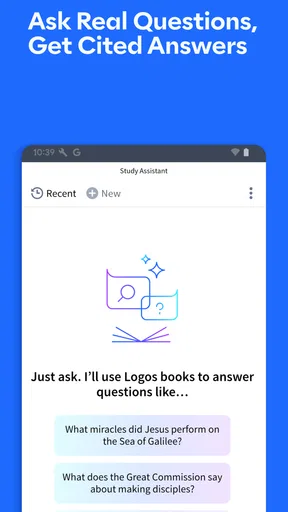
I reach for Bible-study apps most often when a question follows me beyond my usual reading time: What does this passage mean in context? How have other readers understood it? Logos: Deep Bible Study is built for that sort of follow-up, with a wider research focus than a simple digital Bible. I find it most useful when I want to move from reading a passage to comparing resources and making notes, rather than simply checking a verse and closing the app.
When a connection becomes part of the study session
Logos is a Books & Reference app from Faithlife, and its broad library is central to the experience. Looking up scripture is only one part of a session: searching for a topic, consulting commentaries, or exploring maps and other media can turn a quick question into a longer research task. That range is valuable, but it also means the experience can depend on being able to reach the material you want at the moment you need it. I plan a deeper study when I have a reliable connection, rather than assuming every resource will be ready in every setting.
That distinction matters in everyday use. A short reading plan session can be easy to fit between errands, while following several references or opening additional resources is a more involved activity. If I am preparing to lead a discussion, I would rather gather and review the material ahead of time than count on an impromptu lookup during the meeting. It is a practical habit, not a reason to avoid mobile study: it simply keeps a useful research tool from becoming a distraction when attention or connectivity is limited.
Who benefits from its depth, and who may not
I would recommend it to readers who enjoy asking follow-up questions, people preparing sermons or Bible-study discussions, and anyone who wants more than a basic passage reader. Its original-language tools can help a curious reader notice why a translation choice matters, while commentaries provide paths into interpretations beyond one person’s first impression. For group leaders, notes and study plans can help turn scattered reading into a more deliberate routine.
By contrast, if all you want is a clean place to read a chapter, a lightweight Bible app may feel quicker and less demanding. Logos has a lot to explore, and that breadth can make the first session feel busy. The library also has a commercial dimension: the app is free to download, but in-app purchases range from $1.99 to $164.99 per item. I would treat the free experience as a way to see whether the study approach suits me, then check the details of any paid resource before deciding it is worth adding.
A practical way to use it on a busy day
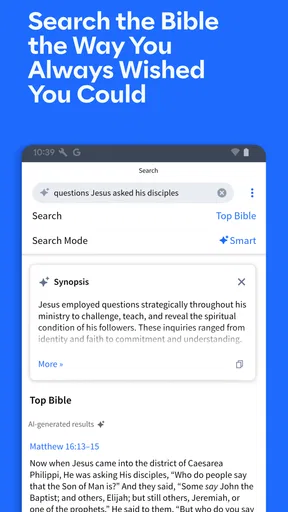
Imagine I am leading a small-group conversation after work and want to prepare during a lunch break. I can read the relevant passage, use search to follow a recurring word or theme, and note questions I want to raise. If I need more context, I can consult the resources available to me and use a map or media item where it clarifies the setting. Before the meeting, I can return to those notes and shape them into a few focused prompts instead of trying to remember everything I read.
One useful trade-off is to keep the first pass narrow. Search can open many possible paths, but following every result is not the same as understanding the passage. I get more from choosing one question, checking the relevant context, and recording what remains uncertain. For a group, I would also separate observations from conclusions in my notes; that makes it easier to invite discussion without presenting an early interpretation as the only answer.
The Ultimate Study Companion
When I first launched Logos: Deep Bible Study, I was greeted by a sleek and user-friendly interface. It’s designed to be intuitive, so even if you’re not the most tech-savvy person, you’ll find your way around easily. The app opens up a world of resources that are neatly organized, making it a breeze to navigate.
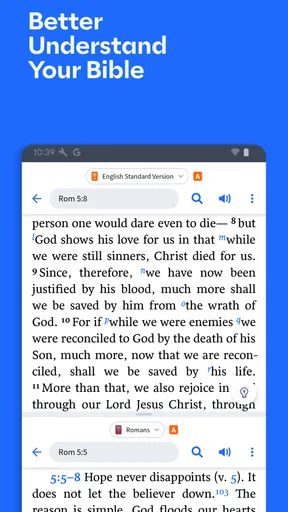
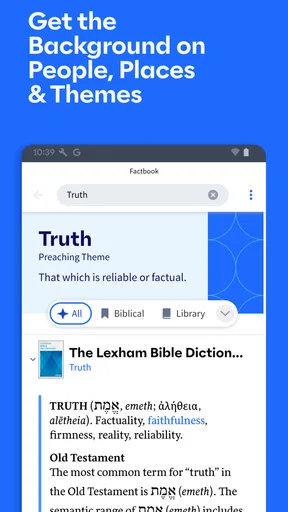
One of the standout features is the app’s extensive library. You’re not just getting a digital Bible; you’re getting access to a treasure trove of commentaries, translations, and theological works. Whether you’re a novice or a seasoned scholar, there’s something for everyone. The search functionality is quite robust, allowing you to find passages, topics, or even specific words with ease.
Going Beyond the Text
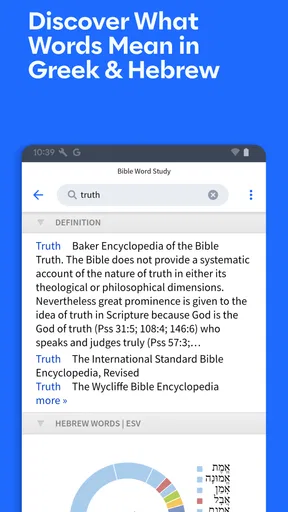
What I love most about this app is that it doesn’t just stop at biblical text. Logos: Deep Bible Study offers tools for deeper exploration. You can delve into the original Greek or Hebrew meanings of words, which is incredibly insightful for understanding context. There are also interactive maps, which are perfect for visual learners. I found myself spending hours tracing the journeys of biblical figures and piecing together historical contexts.
- Original language tools
- Interactive maps and media
- Rich library of commentaries
Tailoring Your Study Experience
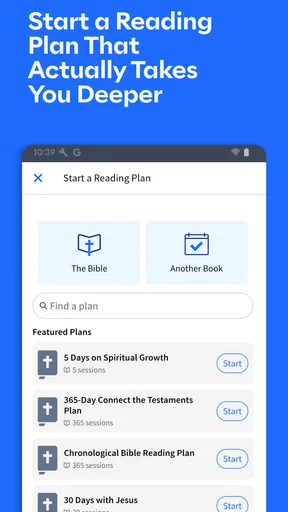
Personalization is another area where the app shines. You can set up reading plans that fit your schedule, which is a godsend for those of us juggling busy lives. I appreciated the daily devotionals and reminders, which kept me on track. The note-taking feature is also a great addition, allowing you to jot down thoughts and insights as you study.
The app syncs across devices, so whether you’re on your phone, tablet, or computer, your progress and notes are always up to date. This seamless integration makes it incredibly convenient to study on the go or from the comfort of your home.
Community and Collaboration
Studying the Bible can often feel like a solitary endeavor, but with Logos, you’re part of a larger community. The app offers a platform to connect with others, share insights, and even join group studies. I joined a couple of study groups, and it was enlightening to hear different perspectives and interpretations.
There’s also a resource-sharing feature, where you can recommend books or articles to friends. It’s like having a virtual book club, which adds a social dimension to your study sessions.
Cost, upkeep, and choosing the right fit
The app has been available since Jul 15, 2011, and its current version is 48.0.0, with a minimum OS requirement of 11. It is rated Everyone, and its 4.8 average from around 54,000 ratings, alongside over 1 million installs, suggests it has found a sizable audience among readers who want a substantial study toolkit. Those figures do not tell me whether every user will find the interface comfortable, though; the best test is whether I actually use its research tools after the novelty of opening a large library wears off.
Compared with a basic Bible reader, Logos is more like a reference desk: it encourages cross-checking and sustained exploration instead of keeping the screen focused on the text alone. That is a strength when I am preparing a lesson or studying a difficult passage, but a disadvantage when I want a quiet, uncluttered reading experience. A paper commentary or printed Bible can also be preferable when I want to avoid screen interruptions or simply think without switching among digital resources.
To keep a session manageable, I would decide on a question before opening multiple resources and jot down which sources helped answer it. If a search produces more material than I can assess in one sitting, I save the next question for another session instead of treating every result as required reading. This makes the app’s depth easier to use without letting research crowd out reflection.
When access is interrupted
On a phone, the most useful parts of a study session may happen in very different places: a quiet chair at home, a commute, or a few spare minutes before a group begins. I would use those short windows for reading a plan or reviewing notes, and reserve resource-heavy exploration for a time when I can give it attention. If something does not load as expected, I would avoid assuming the session is lost: return to the passage or notes already in view, narrow the task, and try the lookup again when access is steadier. That is a sensible recovery routine for any research session, rather than a promise about how a particular resource behaves.
For data-conscious use, I would be selective about opening media and extra resources when relying on a limited connection. A text-first pass can clarify what I actually need before I branch out, and planning research ahead of a group meeting reduces the temptation to browse repeatedly in the moment. I would also check that my notes and reading progress have synced before switching devices, since synchronization is most useful when I give it a chance to catch up.
Final Thoughts
All in all, Logos: Deep Bible Study is a powerhouse of an app for anyone interested in digging deeper into scripture. It’s packed with features that cater to both casual readers and serious scholars. The combination of a vast library, interactive tools, and community features makes it a standout in the realm of Bible study apps.
Whether you’re looking to enhance your personal study or engage with a community of like-minded individuals, this app provides the tools and resources you need. It’s more than just an app; it’s a gateway to a richer, more informed understanding of the Bible.
My recommendation is strongest for readers who will make active use of its references, notes, plans, and group-oriented tools. If your needs are simpler, a straightforward reading app may serve you better without the learning curve or purchase choices. For me, the deciding question is not how many resources are available, but whether I have a clear purpose for opening them. When I do, Logos can make a small study window feel focused and productive; when I only want to read a few verses, simpler is often better.
Verdict
Strengths of Logos Bible
- Comprehensive Bible study tools.
- User-friendly interface for easy navigation.
- Offline access to resources available.
- Cross-referencing with multiple translations.
- Customizable study plans and notes.
Limitations of Logos Bible
- Requires in-app purchases for full features.
- Initial setup can be time-consuming.
- Large app size may affect storage.
- Occasional syncing issues reported.
- Limited language options for non-English users.
Similar Picks in This Category
View All
Google Play Books & Audiobooks
Google LLC4.7

네이버 - NAVER
NAVER Corp.3.5

Wattpad - Read & Write Stories
Wattpad.com3.7

King James Bible - Verse+Audio
Ozion4.8

Bible Offline-KJV Holy Bible
Bíblia Offline4.9

Amazon Kindle: Reading App
Amazon Mobile LLC4.8
Frequently Asked Questions
What features does Logos: Deep Bible Study offer?
Logos: Deep Bible Study provides a range of features designed to enhance your biblical understanding. It includes a vast library of resources, advanced search capabilities, and tools for in-depth study. Users can access commentaries, dictionaries, and original language resources, all within a user-friendly interface, making it a comprehensive tool for both beginners and advanced students.
Is Logos: Deep Bible Study free to use?
Logos offers a free version with basic features, allowing users to access a limited library and essential tools. However, for a more extensive collection of resources and advanced functionalities, users may need to consider purchasing additional packages or subscriptions. These options are designed to cater to varying study needs and budgets.
Can I use Logos: Deep Bible Study offline?
Yes, Logos allows users to download resources for offline access. This feature is particularly useful for those who study on the go or in areas with limited internet connectivity. However, some features, like cloud-based updates and certain tools, may require an internet connection to function fully.
Is Logos: Deep Bible Study suitable for beginners?
Absolutely! While Logos is equipped with advanced features for in-depth study, it is also designed with beginners in mind. The app includes tutorials, guided studies, and user-friendly navigation to assist those new to Bible study. This ensures that users of all levels can benefit from its comprehensive offerings.
How often is Logos: Deep Bible Study updated?
Logos is regularly updated to enhance performance, add new features, and expand its library. These updates ensure that users have access to the latest resources and tools. Subscribers can benefit from these updates automatically, ensuring they always have the most current and robust study aids available.
